Key Takeaway
Claude Design is useful when you need to turn rough notes, sketches, specs, or business ideas into a visual first draft: a brand direction, UI concept, presentation, one-pager, prototype, or campaign asset. The strongest use case is not “replace a designer,” but move faster from idea to something visual enough to review, refine, share, or export.
What Is Claude Design?
Claude Design is an Anthropic Labs product that lets users collaborate with Claude to create visual work such as designs, prototypes, slides, one-pagers, and related assets. Anthropic says users can describe what they need, let Claude build a first version, then refine it through conversation, inline comments, direct edits, or custom controls.
The feature is designed for early visual creation: taking an idea that may exist only as notes, sketches, product specs, screenshots, or a rough outline, and turning it into a clearer design artifact.
That artifact can then be reviewed, shared, exported, edited in Canva, handed off to Claude Code, or used as a better starting point for a designer or developer.
Why It Matters
Many ideas fail to move forward because the first visual version is too hard to create.
A founder may have a product concept but no brand direction.
A product manager may have a feature idea but no interface mockup.
A marketer may have a campaign brief but no visual system.
A team may have a rough deck outline but no presentation structure.
Claude Design helps reduce that first barrier. It does not remove the need for design judgment, brand review, usability testing, or professional polish. But it can make the first draft faster, more concrete, and easier to improve.
The practical value is simple: Claude Design gives you something visual to react to instead of starting from a blank page.
What You Can Use Claude Design For
Claude Design works best for fast visual first drafts across several common workflows.
Brand Directions
Use Claude Design to explore early identity options for a product, service, startup, newsletter, event, or campaign.
It can help generate logo directions, color palettes, typography moods, packaging ideas, and sample applications. The goal is not to finalize a brand identity in one prompt. The goal is to compare visual directions before investing time in one.
Prompt template:
“Create 3 distinct visual identity directions for [brand/project], a [type of business] for [target audience]. Use [positioning, values, competitors, or mood board]. Include logo direction, color palette, typography mood, sample applications, and a recommendation for the strongest direction.”
UI Concepts
Claude Design can create first-pass interface concepts for apps, dashboards, onboarding flows, forms, settings pages, or product screens.
This is useful when you need to see how a product idea might work before moving into deeper UX design or development.
Prompt template:
“Design a first UI concept for [product/app/tool] where the user needs to [main task]. Make it [mobile/desktop/responsive]. Prioritize [clarity, speed, trust, or conversion]. Include key screen layout, primary actions, empty state, success state, and 2 alternative directions.”
Presentations
Claude Design can turn rough notes into a structured presentation, including pitch decks, internal decks, sales decks, or project proposals. Anthropic lists pitch decks and presentations as a core use case, with export options including PPTX and Canva.
The strongest workflow is not just asking it to “make slides.” Ask it to restructure the argument first.
Prompt template:
“Convert these notes into a [pitch deck/sales deck/internal presentation] for [audience]. Restructure the story first, then design the slides. Include problem, opportunity, solution, proof, plan, and next step. Prepare it for [PPTX/Canva/PDF] export.”
One-Pagers
Claude Design is also useful for creating compact visual explainers: product summaries, service explainers, event pages, internal briefs, or concept sheets.
This is different from a long landing page. A good one-pager should make the idea understandable quickly.
Prompt template:
“Create a polished one-page visual explainer for [product/service/project] aimed at [audience]. Make it understandable in under 60 seconds. Include headline, positioning, benefits, how it works, proof, and next step. Prepare it for [PDF/Canva/web].”
Design Explorations
Claude Design can generate multiple visual directions before a team commits to one. Anthropic specifically lists design explorations as a use case for creating a wide range of directions quickly.
This is useful when the question is not “Can you design this?” but “Which direction should this take?”
Prompt template:
“Explore 3 visual directions for [project/product/page] using the same content: minimal/premium, warm/human, and bold/high-contrast. Show how each works across [asset types]. Compare them by clarity, trust, originality, and audience fit.”
Wireframes and Mockups
Claude Design can support early product planning by generating wireframes and mockups for feature flows, screens, and product concepts. Anthropic describes product wireframes and mockups as a use case, including handoff to Claude Code or designers for further refinement.
This is best used before visual polish. Ask for structure, hierarchy, and user flow first.
Prompt template:
“Create a low-to-mid fidelity wireframe for [page/screen/flow] where the user needs to [complete task]. Identify the user goal, key information, friction points, and primary action. Build the structure with layout notes and usability priorities.”
Social and Campaign Assets
Claude Design can create first drafts for campaign visuals, landing pages, social posts, and marketing collateral. Anthropic lists marketing collateral, landing pages, social media assets, and campaign visuals among team use cases.
The better prompt is not “make an Instagram post.” Ask for a small visual system that can work across formats.
Prompt template:
“Create a small visual campaign system for [product/feature/event] aimed at [audience]. Core message: [message]. Include Instagram post, carousel cover, story version, LinkedIn asset, and visual consistency rules. Avoid generic AI visuals.”
Packaging Ideas
Claude Design can also help explore early product packaging ideas when the goal is to review direction, not finalize production-ready packaging.
This is useful for testing color, typography, hierarchy, shelf impact, and product positioning before moving into detailed production design.
Prompt template:
“Create 3 realistic packaging concepts for [product] in the [category/market] category, aimed at [target customer]. Include front layout, material/color direction, typography, claim hierarchy, shelf-impact rationale, and differentiation from competitors.”
The Best Workflow
The strongest Claude Design workflow is:
Upload → Generate → Review → Refine → Export
1. Upload
Start with useful context. This can include notes, sketches, screenshots, product specs, documents, presentations, spreadsheets, images, or a website reference. Anthropic says Claude Design can start from a text prompt, uploaded images and documents, codebases, or captured website elements.
2. Generate
Ask Claude Design for a first version. Be specific about the output: deck, one-pager, prototype, UI screen, brand direction, campaign system, or packaging concept.
3. Review
Do not accept the first draft blindly. Review hierarchy, clarity, contrast, spacing, message, audience fit, and whether the design matches the intended use.
Claude’s help documentation says users can ask Claude to explain design decisions, suggest improvements, and review for accessibility, contrast ratios, information hierarchy, and usability.
4. Refine
Use specific feedback. “Make this better” is weak. “Reduce the number of sections, make the CTA more visible, and simplify the hero area” gives Claude Design a clearer direction.
Claude Design supports broader changes through chat and more targeted component-level changes through inline comments.
5. Export
Choose the right output format for the next step. Claude Design supports export options including ZIP, PDF, PPTX, Canva, standalone HTML, and Claude Code handoff.
Canva says Claude Design users can bring AI-generated drafts into Canva as editable, structured designs, including coded creations that can be adjusted with drag-and-drop controls.
What To Avoid
Do not treat Claude Design as a final design authority.
Avoid these mistakes:
- Asking for a vague “professional design” with no audience, goal, or constraints.
- Accepting the first draft without reviewing hierarchy, usability, and brand fit.
- Using it as a substitute for brand strategy, user testing, or production design.
- Asking for too many deliverables in one prompt.
- Forgetting to specify the output format.
- Ignoring mobile, desktop, or responsive requirements.
- Using generic visual language such as “modern,” “premium,” or “clean” without explaining what that means for your audience.
A better approach is to start simple, then add complexity. Anthropic’s help documentation gives the same recommendation: begin with the core layout and content, then layer in interactions, edge cases, and polish.
Practical Prompt Formula
Use this structure when writing your own Claude Design prompts:
“Create [output] for [project/product] aimed at [audience]. Use [inputs/context]. Prioritize [goal]. Include [key elements]. Make it feel [tone/style]. Prepare it for [export/use].”
Example:
“Create a one-page visual explainer for a new AI productivity tool aimed at small business owners. Use the attached product notes and competitor screenshots. Prioritize clarity and trust. Include headline, benefits, workflow, proof, and next step. Make it feel practical, calm, and credible. Prepare it for Canva export.”
Limitations
Claude Design is currently an experimental preview from Anthropic Labs, and Anthropic lists several known limitations, including occasional inline comment persistence issues, compact-view save errors, possible lag with very large codebases, and occasional chat upstream errors.
It is also important to use the tool for the right stage of work. Claude Design is strongest at creating early visual drafts, explorations, prototypes, and editable starting points. Final design work still needs human review, brand judgment, accessibility checks, and production validation.
Final Takeaway
Claude Design is most useful as the bridge between a rough idea and a usable visual first draft.
Use it when you need to clarify an idea, compare design directions, prepare a deck, sketch a product flow, create a one-pager, or build a prototype that others can review.
The best results come from specific prompts, clear context, focused feedback, and deliberate refinement.
This article was drafted with the assistance of generative AI. All facts and details were reviewed and confirmed by an editor prior to publication.
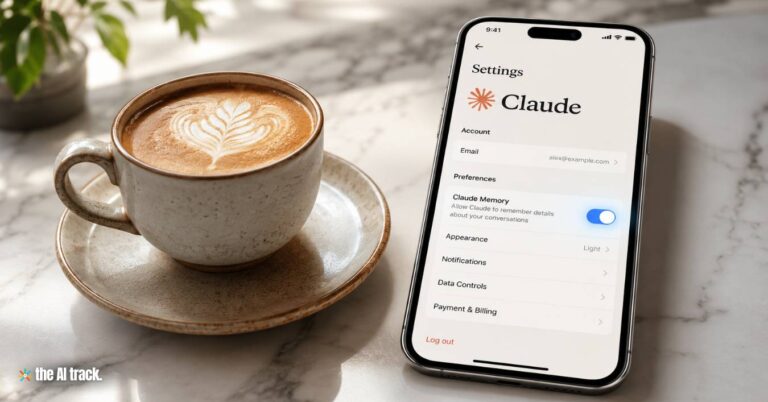
Claude memory helps users carry preferences, projects, tone, and workflow rules across chats while keeping saved context editable.
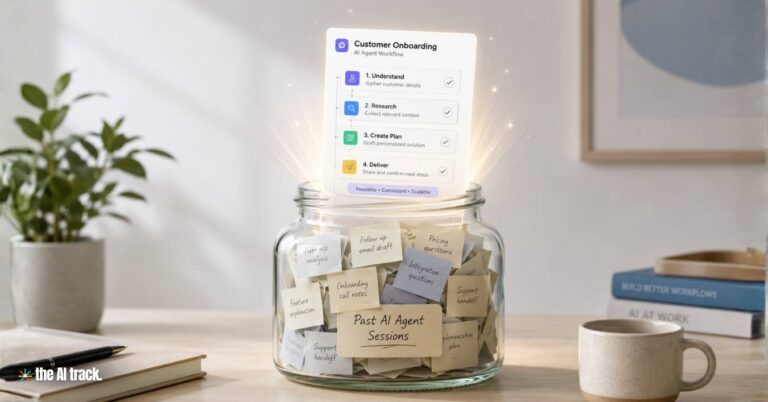
Anthropic unveiled dreaming for Claude Managed Agents, letting AI agents review past sessions, update context files, and improve work.
Anthropic expands Enterprise AI Agents across finance, HR, and engineering as software stocks rebound and SaaS disruption fears ease.
Claude connectors bring Anthropic’s AI assistant into Adobe, Blender, Ableton, Autodesk Fusion, Splice, SketchUp and more creative workflows.
Read a comprehensive monthly roundup of the latest AI news!