Key Takeaway
Google Gemini Omni is a new multimodal AI model family designed to create and edit video from text, images, audio, video, and other references. Its first release, Gemini Omni Flash, brings conversational video editing to Gemini, Flow, and YouTube Shorts, while raising new questions about reliability, synthetic media, and realistic AI-generated avatars.
Google’s Gemini Omni – Key Points
The Story
Google introduced Gemini Omni at Google I/O 2026 as a model family that can “create anything from any input,” starting with video. Gemini Omni Flash is rolling out globally to Google AI Plus, Pro, and Ultra subscribers through the Gemini app and Google Flow, and is also rolling out at no cost to users on YouTube Shorts and the YouTube Create app starting this week.
The model can combine text, images, audio, video, and voice references, then generate or edit a video through natural-language instructions. API access for developers and enterprise customers is planned for the coming weeks, with full evaluation results expected alongside that rollout.
Key Points
Gemini Omni is a multimodal creation model.
Gemini Omni combines Gemini’s reasoning with Google’s generative media models. Gemini Omni Flash accepts text, images, audio, and video files as inputs and can output high-resolution video with audio.
Gemini Omni Flash is the first model in the family.
Gemini Omni Flash starts with video and is the first release in the Omni family. Later releases are expected to support additional output modalities, including image and audio.
The biggest practical shift is conversational video editing.
Users can edit video with plain text prompts, with each instruction building on the last. Gemini Omni can transform a scene, reimagine the action, change the environment, adjust the camera angle, alter the visual style, or refine specific details across multiple turns.
Gemini Omni is more than a Veo-style text-to-video tool.
Veo already generates video from text and images, but Gemini Omni is positioned as a broader multimodal system that can combine images, audio, video, text, and voice references into a single cohesive output.
Physics and world knowledge are central to the pitch.
Gemini Omni is designed to use Gemini’s real-world knowledge to create more coherent scenes, including better handling of gravity, kinetic energy, fluid dynamics, history, science, and cultural context. One example is generating visual explainers for complex topics such as protein folding.
Reference-based creation is central to the model.
Users can start from images of characters, scenes, drawings, audio, text, or video references. At launch, only voice references are supported for audio input, with other audio input types planned later.
Digital avatars are part of the rollout.
Avatars let users create videos that look and sound like themselves. Beyond that avatar feature, broader support for video edits that change audio and speech is still being tested.
The model still requires precise prompting.
Early hands-on testing shows better character consistency and stronger prompt-following than earlier Google video tools, but also shows glitches, over-editing, inconsistent objects, and unwanted changes. Vague prompts can alter elements the user wanted to preserve.
Full evaluation results are not available yet.
Gemini Omni Flash’s model card lists planned evaluations for text-to-video with audio, image-to-video with audio, reference-to-video with audio, video editing, and image generation. Those results are expected when the model rolls out to developers and enterprise customers via APIs.
Video generation uses credits.
AI Plus subscribers receive 200 Google Flow credits per month, AI Pro subscribers receive 1,000, AI Ultra $100 subscribers receive 10,000, and AI Ultra $200 subscribers receive 25,000. Free users receive 50 Flow credits per day for limited trial use, with unused daily credits not rolling over.
Gemini Omni Flash has specific Flow costs.
Google Flow lists Gemini Omni Flash generation at 15 credits for 4 seconds, 20 credits for 6 seconds, 25 credits for 8 seconds, and 30 credits for 10 seconds. Editing uploaded or generated videos costs 40 credits per generation.
Synthetic video safeguards are built in.
All videos created with Gemini Omni include Google’s SynthID digital watermark. Gemini Omni-generated videos can be verified through the Gemini app, Gemini in Chrome, and Google Search. Google is also expanding C2PA Content Credentials and launching an AI Content Detection API on Google Cloud’s Gemini Enterprise Agent Platform.
Gemini Omni is also tied to YouTube creation.
Gemini Omni Flash is rolling out to YouTube Shorts and the YouTube Create app. Remixed Shorts include digital watermarks, identifying metadata, and a link back to the original video. Creators can opt out of visual remixing, and likeness detection is expanding to creators aged 18 and older.
API access will matter for businesses.
Gemini Omni Flash is currently most accessible as a consumer and prosumer product through Google’s apps and subscription plans. Enterprise adoption will depend on API availability, pricing, latency, throughput, data-handling terms, evaluation results, and whether companies can integrate watermarking and detection into their media governance workflows.
What You Can Use It For
Gemini Omni is most useful for fast visual experimentation, social video concepts, short fictional scenes, avatar-style clips, rough creative tests, explainers, and early-stage advertising or training materials. It can help creators explore ideas without filming every variation, especially when they need quick versions of a scene, character, location, product demo, or visual style.
For businesses, the strongest early use cases are marketing variants, internal communications, learning and development videos, product walkthroughs, customer support explainers, and concept visuals for sales or engineering teams.
It is less suited for precision editing, brand-critical campaigns, factual video, legal-sensitive material, or any workflow where a small visual error could damage trust.
Best Workflow
Start with the clearest reference you have: a short video, image, character design, product shot, voice reference, or written scene description. Then make one major change per prompt, such as changing the location, style, action, camera angle, or object.
For better consistency, state what must stay unchanged: the same person, same outfit, same product, same background element, same lighting, or same camera movement. After each generation, check faces, hands, logos, product details, text, background objects, and final frames before publishing.
For public posts, verify the synthetic media label or watermark, add disclosure where appropriate, and avoid using AI-edited footage in contexts where viewers could mistake it for factual video.
Risks / Limitations
- Consistency is not guaranteed. Objects, clothing, faces, props, and scene details may change between shots.
- Edits can create new errors. Fixing one problem may introduce another.
- Prompts need precision. Vague editing instructions can cause over-editing or unwanted changes.
- Complex motion remains difficult. The model card lists complex motion as an area where the model can still struggle.
- Accurate text rendering is still a challenge. Product labels, signage, captions, and slogans may need extra review.
- Audio editing remains limited. Voice references are supported at launch, but broader audio and speech-editing capabilities are still being tested.
- Realism can outpace verification. Casual viewers may not notice that a clip is synthetic.
- Credit costs can rise quickly. Iterative prompting and repeated corrections can consume monthly credits fast.
- Enterprise readiness is still limited. API pricing, production performance, evaluation results, and governance details will determine whether Gemini Omni becomes useful beyond individual seats.
- Synthetic labels matter. Watermarking, C2PA credentials, verification tools, and detection APIs help, but they do not remove the need for clear editorial disclosure.
What to Watch Next
The next important milestones are the developer and enterprise API rollout, published evaluation results, longer video durations, broader audio input support, and clearer enterprise pricing. For creators and media teams, the key question is whether Gemini Omni can move from impressive short experiments to reliable, repeatable production workflows.
Why This Matters
Gemini Omni signals a shift from AI video as a novelty to AI video as an accessible editing layer. For creators, it lowers the barrier to producing short, cinematic, personalized clips. For businesses, it points toward a future where visual assets, explainers, ads, and training materials can be generated from a single multimodal workflow. For platforms and audiences, it raises a harder question: how to maintain trust when realistic synthetic video becomes easy enough for ordinary users to create.
This article was drafted with the assistance of generative AI. All facts and details were reviewed and confirmed by an editor prior to publication.
Google I/O 2026 introduced Gemini 3.5 Flash, Spark, AI Search, Chrome agents, smart glasses, Antigravity and creative AI tools.

Google disrupted an AI-assisted zero-day exploit that could bypass two-factor authentication before a planned mass attack.
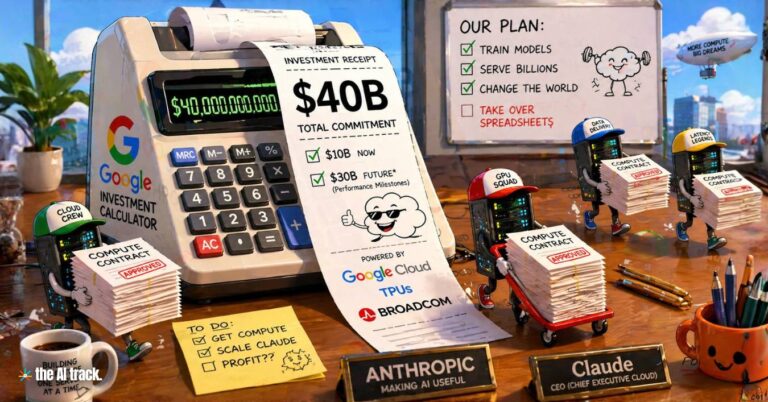
Google plans to invest in Anthropic through a deal worth up to $40B, expanding Claude infrastructure at a $380B valuation.

Google search is being redesigned with AI Mode, agents, generative widgets, personal context, shopping tools, booking, and mini apps.
Read a comprehensive monthly roundup of the latest AI news!